
Troubleshooting
This page lists common problems and how to fix them. If they are not resolved, ask your organization admin. Admins can contact us through Support.
You cannot sign in
| Screen shown | Cause and fix |
|---|---|
| Email Mismatch | The invited email address differs from the email address of the account you signed in with. Sign in again with the invited account. |
| Invalid Invitation | The invitation link has expired (after 24 hours) or is incorrect. Ask your admin for a new one. |
| Access Restricted | You have no invitation, and your email domain is not registered (or not verified) for the organization. Ask your admin to invite you. |
| Account Deleted | Your admin has archived your account. To use EM-OS again, you need a new invitation from your admin. |
| Limit Reached | The organization has reached its plan's user limit. Contact your admin. |
| Sign-in did not complete | Sign-in on the GitHub or Google side did not finish. Try signing in again. |
For how invitations work, see Invite Members.
"Access Expired" is shown
The organization's plan or trial has ended. When an admin signs in, the subscription screen is shown; subscribing again restores access.
A menu is missing or locked
- A lock or Enterprise badge is shown: The feature is not included in your plan. See Plans and Features.
- Admin menus are not shown: You need the admin role. Admins can change roles in Admin > User Management.
- "This screen is read-only" is shown: You can view the screen, but creating and editing require lead permissions or higher.
Change the display language or time zone
Open Personal Settings from the icon in the top right, and change Language (日本語 / English) and Timezone under "Workspace". When you switch languages, the page reloads to apply the setting.
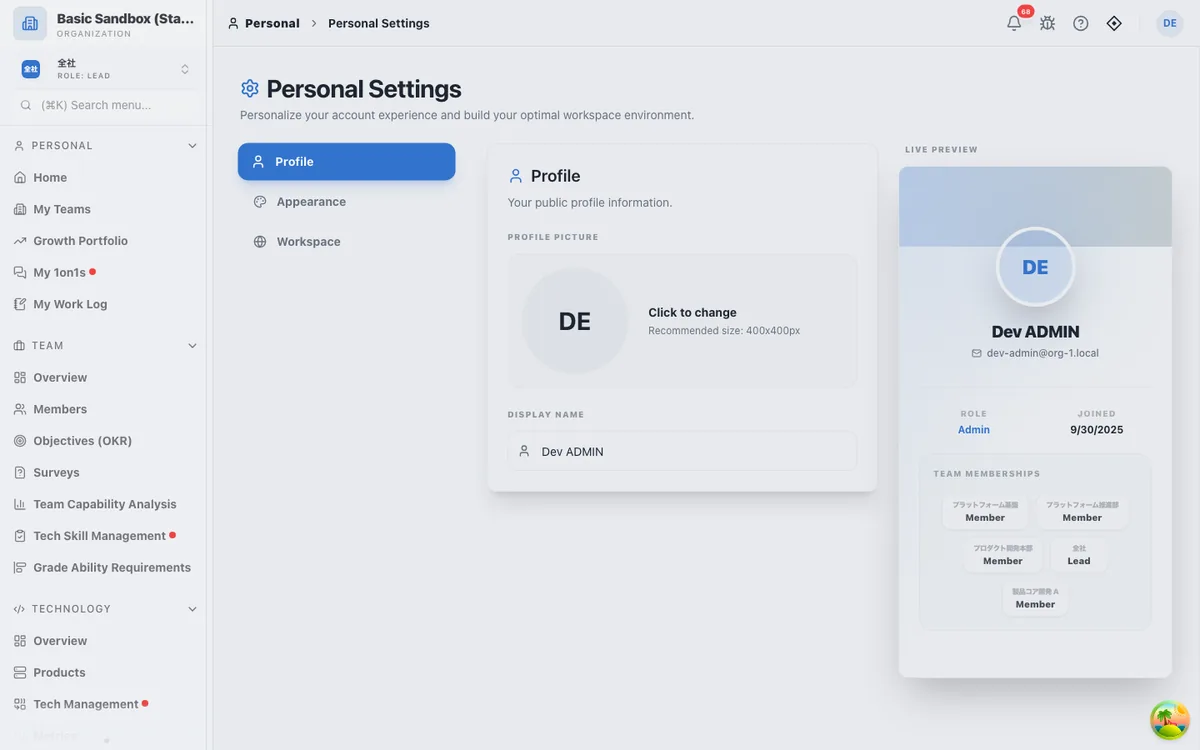
Theme, accent color, and reduced motion are under "Appearance".
Data from integrations does not appear
- In Admin > Integrations, check that the tool shows "Connected".
- Select "Test Connection" to check the credentials and permissions.
- If GitHub shows "Reconnect Required", check the GitHub App's permissions and installation, and if needed, generate a new Private Key and enter it again.
- If you reach GitHub's API rate limit, syncing pauses until the time shown and then resumes.
Right after you connect a tool, it may take a few minutes for data to appear. See Connect External Tools.
OKR values are not updated
Dynamic key results are updated automatically about 6 hours after the last sync. To update right away, select "Sync" on the key result. The history chart records a point only when the value changes. Manual key results are never updated automatically.
You want to change your email address or delete your account
EM-OS uses the email address of the GitHub or Google account you sign in with, so you cannot change it in EM-OS. Ask your organization admin to change it or delete your account.
The screen is outdated or displays incorrectly
Reload the browser. If you use EM-OS as an app added to your home screen (PWA), close and reopen the app to switch to the latest version. When you are offline, an offline notice is shown.